


TRENDING NOW
Mini wireless keyboard with touchpad
Mini wireless keyboard with touchpad
⌨️ Compact & Portable
📶 Reliable Wireless Connection
🔋 Long-Lasting Battery
👌 Easy Plug & Play
BUNDLE & SAVE
Couldn't load pickup availability
Mini wireless keyboard with touchpad


Why Us ?
Proudly serving customers across South Africa with products that make everyday life easier
| Daily Eaze | OTHERS | |
|---|---|---|
Integrated Touchpad Control |
||
Hands-Free Wireless Connectivity |
||
Long-Lasting Battery & Ergonomic Design |
Store to Door

Why Us ?
🖱️ Built-in Touchpad - Navigate, scroll, and click easily without a separate mouse
📡 Reliable Wireless Connection - Enjoy responsive control without tangled cables
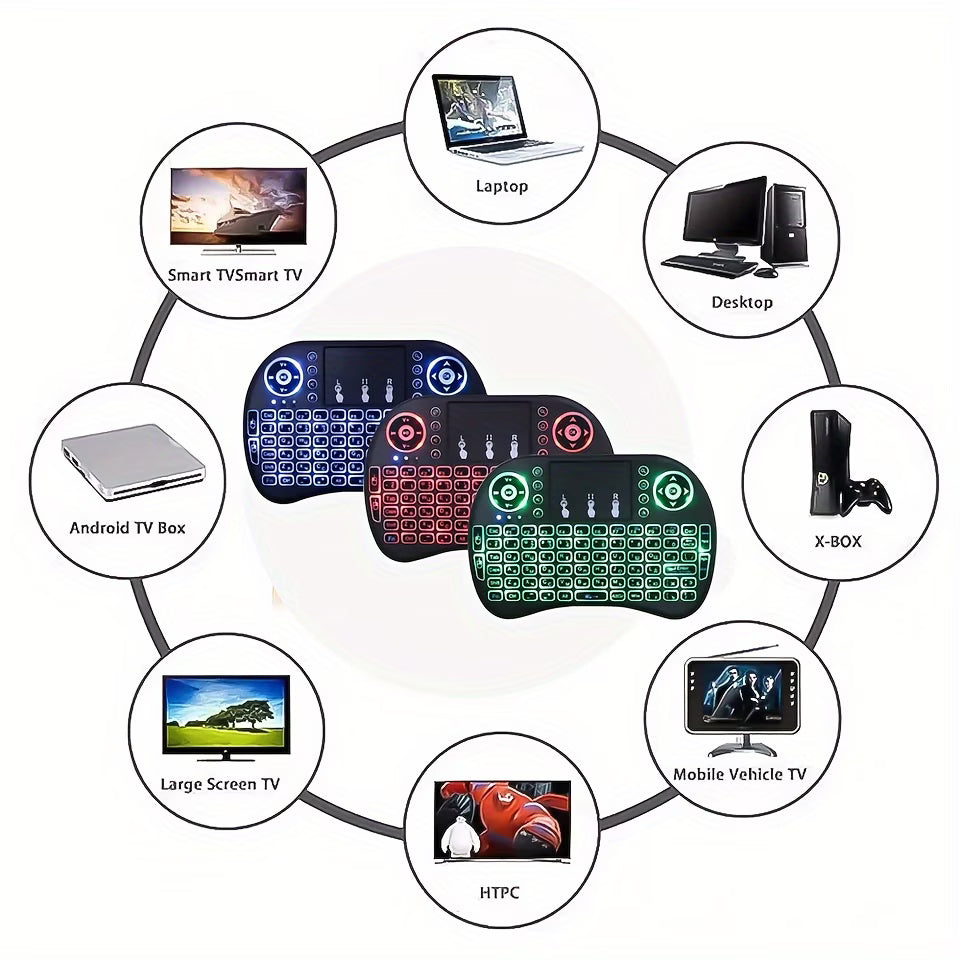
⌨️ Compact & Portable - A space-saving design that's ideal for your smart TV, laptop, tablet, or media centre
🔋 Comfortable Everyday Use - Full keyboard functionality in a lightweight, easy-to-carry format
🎬 Perfect for Entertainment - Search, stream, browse, and control your device from the comfort of your sofa
FREE SHIPPING ON ALL ORDERS
FREE SHIPPING ON ALL ORDERS
FREE SHIPPING ON ALL ORDERS
FREE SHIPPING ON ALL ORDERS
FREE SHIPPING ON ALL ORDERS
FREE SHIPPING ON ALL ORDERS
FREE SHIPPING ON ALL ORDERS
FREE SHIPPING ON ALL ORDERS
FREE SHIPPING ON ALL ORDERS
FREE SHIPPING ON ALL ORDERS
FREE SHIPPING ON ALL ORDERS
FREE SHIPPING ON ALL ORDERS
FREE SHIPPING ON ALL ORDERS
FREE SHIPPING ON ALL ORDERS
FREE SHIPPING ON ALL ORDERS
FREE SHIPPING ON ALL ORDERS
Happy customers
-
★★★★★

With this device I can sit on my couch and control the PC from a distance. It's an amazing tool that works like a remote
-
★★★★★
Mini wireless Keyboard works great on my Tv box and my PC.
-
★★★★★
Love this product, lights change colour, still trying to figure out how to scoll side to side, but I have never really worked with a track pad, but loving the typing for searching.

Customer FAQ
How long does the wireless keyboard battery last, and how do I charge it?
This part has a battery you input and change after it's drained. It's not rechargeable.
What is the wireless range, and how do I pair the keyboard?
The keyboard offers a reliable Bluetooth connection from up to approximately 10 metres in an open space. To pair it, switch it on, press and hold the Bluetooth or pairing button until the indicator flashes, then open Bluetooth settings on your device and select the wireless keyboard. Once paired, it should reconnect automatically when switched on.
What touchpad functions and gestures are supported?
The built-in touchpad lets you move the cursor, tap to select, scroll through pages, and use supported multi-finger gestures without a separate mouse. Available gestures and settings may vary by operating system, so you can adjust touchpad preferences on your connected device for the best experience.
Which devices is the wireless keyboard compatible with?
It is designed for Bluetooth-enabled laptops, tablets, smartphones, smart TVs, and other devices that support standard Bluetooth HID keyboards. Basic typing is broadly supported, while shortcut keys, function keys, and touchpad gestures can vary by device and operating system. Make sure Bluetooth is enabled before pairing.